


Encrypted field logs in Desk365 help you maintain transparency, security, and compliance when handling sensitive data. With encrypted field logs, every action performed on encrypted ticket fields is recorded in one centralized place, making it easy to review who did what, when, and from where.
This article explains what encrypted field logs are, what activities are tracked, how to use the filters, and the benefits of using logs for compliance and internal reviews.
What are encrypted field logs?
Encrypted field logs track all activity involving sensitive data — including PHI, PII, SSN, CVV, etc., within encrypted ticket fields across Desk365. These logs provide a detailed and centralized log trail to help organizations monitor access, changes, and configuration updates involving sensitive data.
Each log entry captures:
- What activity was performed
- Where the activity occurred (ticket fields, forms, roles, etc.)
- Which encrypted field was affected
- Who performed the action
- When the action was performed
- The access source (IP address)
- The related ticket number
All encrypted ticket field related activities are available in one single log view, giving administrators complete visibility without switching between multiple pages.
You can access the encrypted field logs by navigating to Settings > Security and Compliance > Audit Logs > Encrypted Fields.
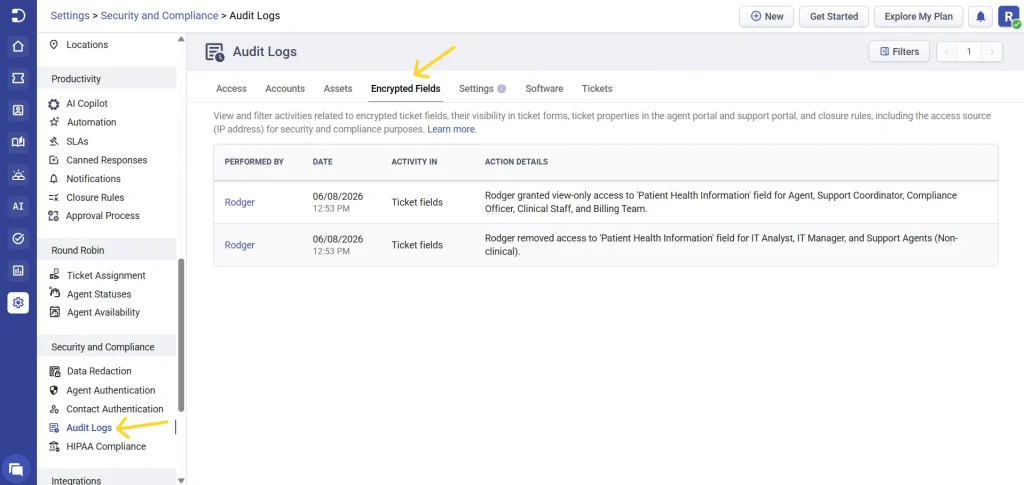
Activities tracked in encrypted field logs
As mentioned above, encrypted field logs cover a wide range of encrypted ticket fields related actions across Desk365. Any activity that creates, modifies, exposes, restricts, or configures access to encrypted data is captured.
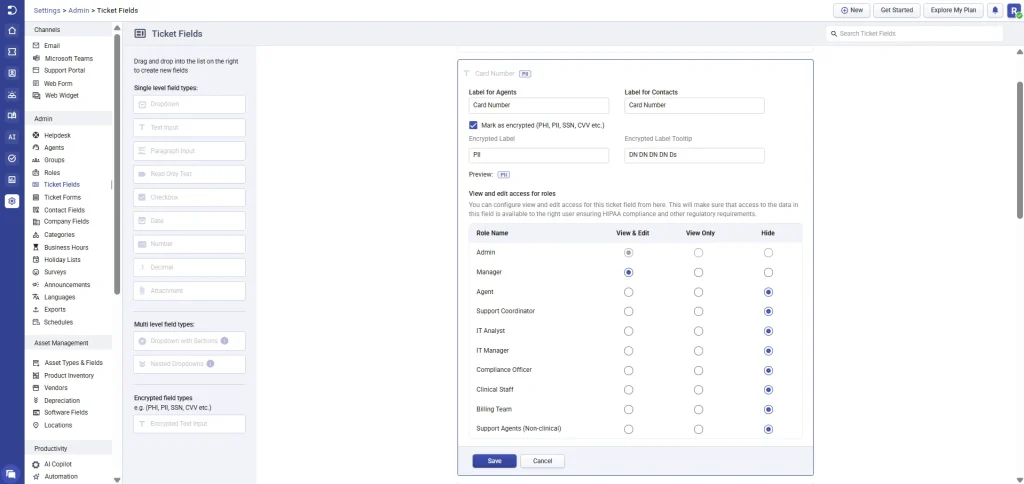
1. Ticket fields
- Creation of encrypted (PHI / ePHI / PII) ticket fields
- Editing encrypted field properties, including label, description, mandatory status, and tooltip
- Enabling or disabling encrypted ticket fields
- Deleting encrypted ticket fields
- Granting or revoking role-based access to the encrypted ticket field(s)
- Changing access levels for roles (View & Edit, View Only, or Hidden) for that specific encrypted ticket field
- Restricting or hiding encrypted fields from specific roles during configuration or updates
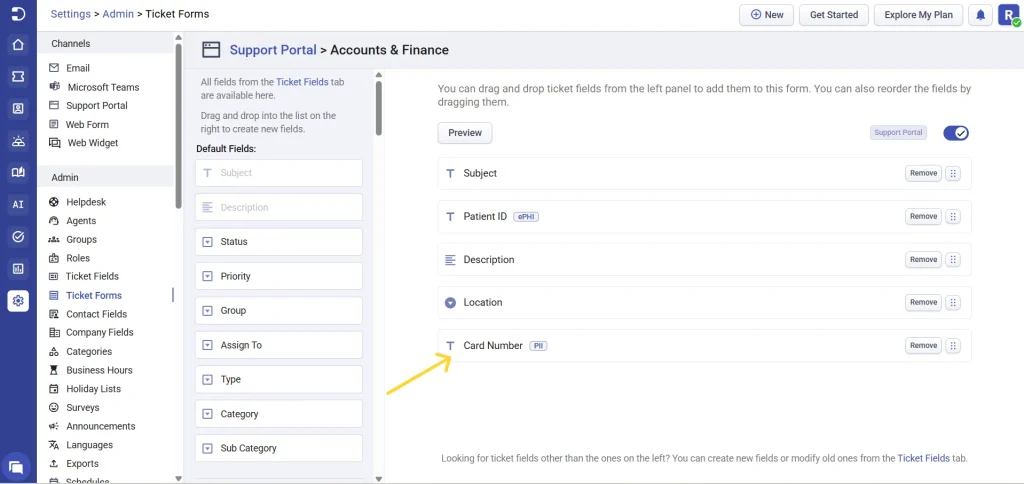
2. Ticket forms
- Adding encrypted fields (such as Patient Name, Patient ID, Insurance Details) to ticket forms
- Removing encrypted fields from ticket forms
- Updating field requirement rules to encrypted fields on ticket forms
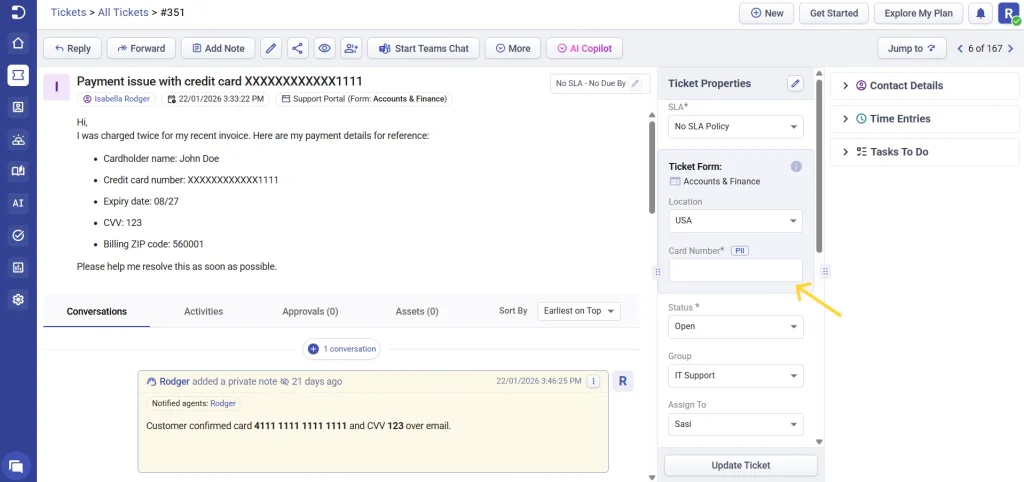
3. Ticket details
- Changes to ticket properties that involve encrypted fields
- Updates made to encrypted data in ticket details
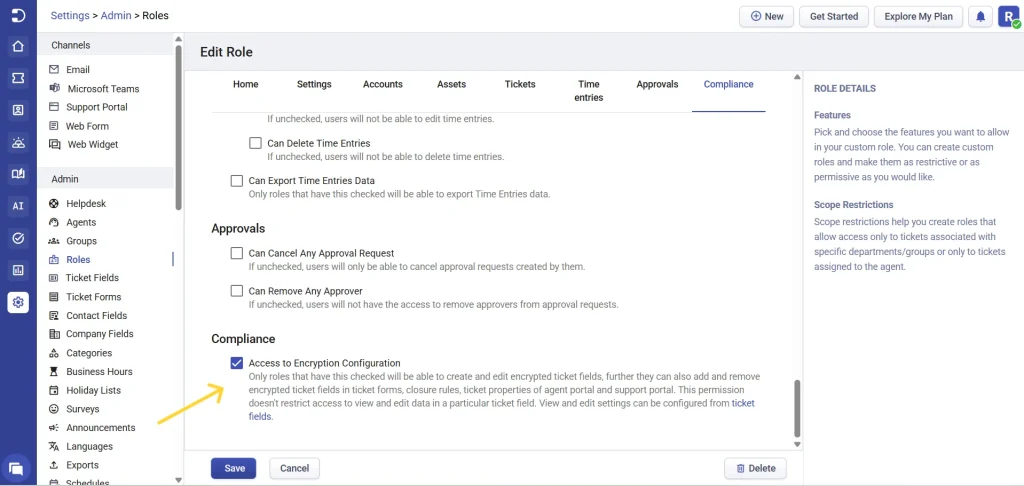
4. Role permissions
Encrypted field logs track all changes made within Settings > Admin > Roles that affect access to encrypted ticket fields and compliance features. This includes, enabling or disabling compliance access for a role, which controls whether users in that role can create, edit, and manage encrypted ticket fields
5. Closure rules
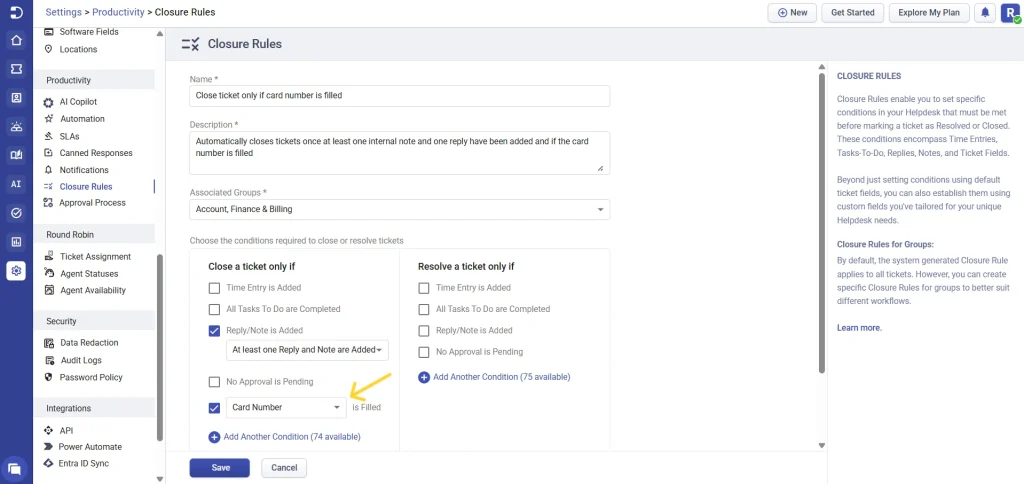
- Creating closure rules that reference encrypted fields
- Modifications to ticket closure rules that involve encrypted fields
- Deleting closure rules that include encrypted fields
Each activity is logged along with the IP address of the user performing the action, adding an extra layer of accountability and traceability.
Using filters to review encrypted field logs
Desk365 provides powerful filters so you can quickly narrow down log entries and find exactly what you need.
Filter by date
You can filter encrypted field logs by predefined ranges or select a custom period:
- Today
- Yesterday
- This week
- Last 7 days
- This month
- Custom date range
Filter by activity
Choose where the activity occurred:
- Ticket fields
- Ticket forms
- Ticket details
- Closure rules
- Role permissions
- Automation rules
- Imports/Exports
Filter by performed by
Select one or more agents to see actions performed by specific users.
After selecting your filters, click ‘Apply’ to view the matching encrypted field log entries instantly.
How encrypted field logs help your organization
- Compliance- Encrypted field logs provide a clear and tamper-proof record of all encrypted ticket field related activities, helping you meet security compliance requirements.
- Improved security & accountability- With user names and IP addresses recorded, administrators can easily trace changes back to the source and identify unauthorized or unexpected activity.
- Faster internal audits- Instead of manually tracking changes, you can quickly filter and review logs during internal audits or compliance reviews.
- Better change management- Understand when encrypted fields were created, modified, or exposed, and ensure that access permissions align with your organization’s policies.
- Centralized visibility- All encrypted ticket field related activities are available in a single audit log view, eliminating confusion and reducing administrative effort.
Best practices
- Regularly review encrypted field logs to monitor access and configuration changes
- Limit encrypted field access to only required roles
- Use date and agent filters during compliance reviews
- Retain the logs as part of your security and compliance documentation
Encrypted field logs in Desk365 give you complete visibility into how protected information is handled across your helpdesk. With detailed activity tracking, powerful filters, and IP-level traceability, encrypted field logs help you stay compliant, secure, and in control of sensitive data.