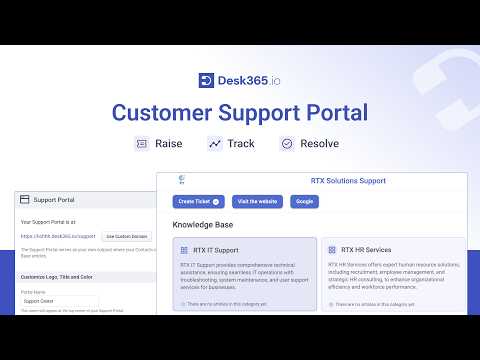
Welcome to Desk365 let’s dive deep into Desk365’s customization options to make your help desk a perfect fit for your business from personalizing your customer support portal and Desk365’s Microsoft team support bot with your Brand’s identity to optimizing ticket forms and ticket fields for streamlined operations Desk365 ensures your help desk is both efficient and Uniquely Yours enhance your team’s productivity with custom roles views notific ations and a lot more discover how Desk365 can transform your support experience today let’s start with the face your customers see the support portal Desk365 lets you completely transform it to match your brand you have the power to make your support portal truly yours by easily naming your portal and applying your Brand’s logo favicon and theme colors you also have the option to customize your support portal access and a lot more next let’s dive into customizing the Microsoft team support bot customize the bot to feature your brand logo and colors ensuring it aligns perfectly with your brand guidelines elevate your support process with our custom team support bot tailored to fit your brand and workflow custom ticket forms with custom fields in Desk365 enhance your support process by allowing you to create specific forms with fields that capture essential details for each ticket create forms with Fields tailored to your workflow across different platforms including the support portal support bot agent portal web form and web widget choose from over 10 field types and use the intuitive interface to add new fields that fit your workflow easily add remove and arrange fields to suit your needs tailor each form to capture the exact information required for different scenarios next let’s dive into defining custom agent roles and organizing teams with custom agent groups admins get full control managers oversee operations and agents handle tickets this keeps your team structured and ensures everyone has the access they need Additionally you can configure roles to suit your organizational structure effortlessly with custom agent groups you can further organize your support team by adding agents to specific groups this ensures that agents are grouped based on their expertise or Department streamlining ticket assignment and improving overall efficiency track your tickets effectively with custom ticket statuses with Desk365 you can take control of your support process by creating custom ticket statuses tailored to your unique workflow while we offer standard statuses like open pending resolved and closed you have the flexibility to add custom stat statuses that reflect your specific support Journey whether it’s awaiting customer response escalated or any other status that fits your needs Desk365 ensures your ticket tracking is as efficient and personalized as possible stay organized with custom ticket views Desk365 allows you to create filtered views tailored to your specific requirements save these views for quick access and gain valuable insights through analytics and metrics all from within your help desk platform streamline your Communications with custom email servers use your own support email addresses like suppor domain.com and set up secondary emails for different departments Desk365 offers versatile notification customization options to keep agents and contacts informed agents in contacts can set their notification preferences via email Microsoft teams or both in ensuring they never miss important updates for agents and contacts you can customize notifications to provide timely updates about their tickets tailoring the content and frequency to match your communication style Desk365 empowers you to customize every aspect of your help desk from branding to workflow ensuring that it aligns perfectly with your business needs