


Asset management in Desk365 helps you track, manage, and maintain all types of assets including hardware, software and consumables used across your organization, such as laptops, printers, servers, software licenses, printer toner, ink cartridges, etc . Instead of managing assets in spreadsheets or disconnected systems, Desk365 brings assets directly into your support workflow.
An asset in Desk365 is not just a record. It is a living entity that can be assigned to agents or groups, linked to tickets, associated with vendors, depreciated over time, and audited.
Why asset management matters
Without a structured asset management system, support teams often work without context. Assets get reused or replaced with no visibility into their history, warranty expirations and renewals are easily missed, and ownership or accountability becomes unclear.
Desk365 fixes this by bringing everything together. Assets are connected to the right people, locations, products, vendors, and support tickets, so teams always have the full picture when resolving issues, managing renewals, or making replacement decisions.
What you can do with Desk365’s asset management
- Define custom asset types and fields to match how your organization tracks hardware, software and consumables
- Maintain a centralized product inventory with complete asset records
- Track vendors, procurement details, and ownership for better accountability
- Associate assets directly with support tickets to give agents full context during issue resolution
- Track depreciation and manage the full asset lifecycle from purchase to retirement
- Monitor software licenses using configurable software fields such as vendor, type, status, managed by, and expiration dates to avoid compliance gaps and missed renewals
- Link assets to specific locations to clearly understand where they are deployed, moved, or stored
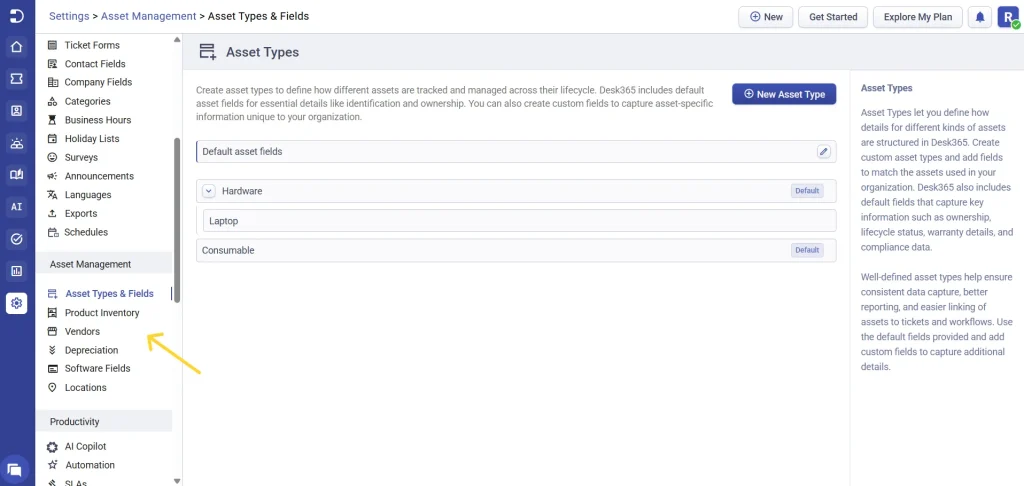
To access and manage assets in Desk365, head to the agent portal and navigate to: Settings > Asset Management
Next article – Setting up asset types and fields