


Asset management in Desk365 helps you track, manage, and maintain all types of assets including hardware, software and consumables used across your organization, such as laptops, printers, servers, software licenses, printer toner, ink cartridges, etc . Instead of managing assets in spreadsheets or disconnected systems, Desk365 brings assets directly into your support workflow.
An asset in Desk365 is not just a record. It is a living entity that can be assigned to agents or groups, linked to tickets, associated with vendors, depreciated over time, and audited.
Why asset management matters
Without a structured asset management system, support teams often work without context. Assets get reused or replaced with no visibility into their history, warranty expirations and renewals are easily missed, and ownership or accountability becomes unclear.
Desk365 fixes this by bringing everything together. Assets are connected to the right people, locations, products, vendors, and support tickets, so teams always have the full picture when resolving issues, managing renewals, or making replacement decisions.
What you can do with Desk365’s asset management
- Define custom asset types and fields to match how your organization tracks hardware, software and consumables
- Maintain a centralized product inventory with complete asset records
- Generate customizable asset labels with QR codes and barcodes, choose label sizes and layouts, preview them before printing, and generate labels in bulk
- Import and export assets with support for custom fields and filtered exports
- Track vendors, procurement details, and ownership for better accountability
- Associate assets directly with support tickets during ticket creation (from agent portal, support portal, or support bot) or after ticket creation so agents have full context while resolving issues
- Control contact asset association permissions. Manage whether contacts can associate assets through the Support Portal and Teams Support Bot. Go to Settings > Admin > Helpdesk and enable or disable Associate assets under Contact permissions.
- Track depreciation and manage the full asset lifecycle from purchase to retirement
- Monitor software licenses using configurable software fields such as vendor, type, status, managed by, and expiration dates to avoid compliance gaps and missed renewals
- Link assets to specific locations to clearly understand where they are deployed, moved, or stored
- View a detailed activity history for assets and software, including creation, updates, and deletion events.
- Audit asset and software activities centrally through audit logs for better visibility and compliance
- Sync devices directly from Microsoft Intune into Desk365 asset management using the Intune Integration
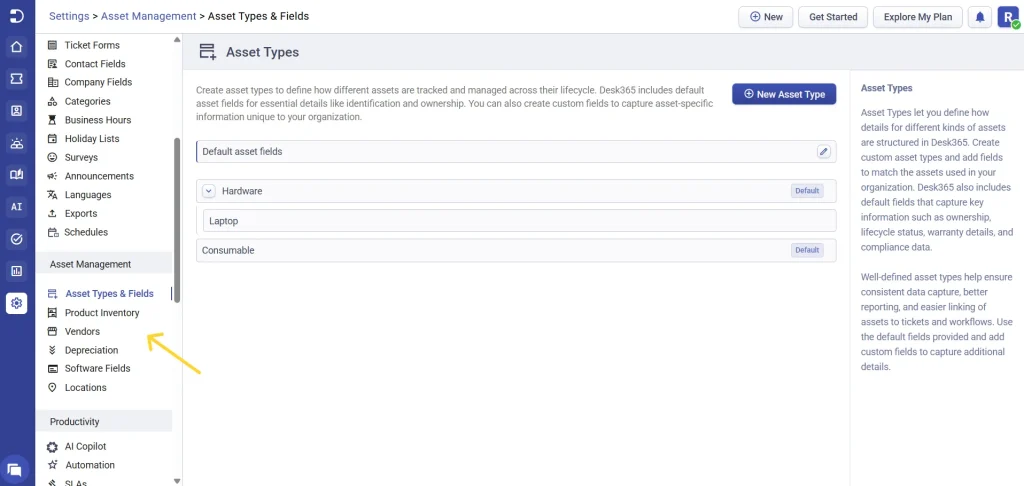
To access and manage assets in Desk365, head to the agent portal and navigate to: Settings > Asset Management
Automate asset management using APIs
If you’re looking to integrate Desk365 with other business applications or automate asset management workflows, Desk365 also provides comprehensive Asset Management APIs.
Using the APIs, you can create, update, retrieve, and delete assets, asset types, asset fields, products, vendors, and more. You can also associate assets with tickets programmatically, making it easy to build custom integrations and automate repetitive tasks.
Explore the API documentation here.
Next article – Setting up asset types and fields