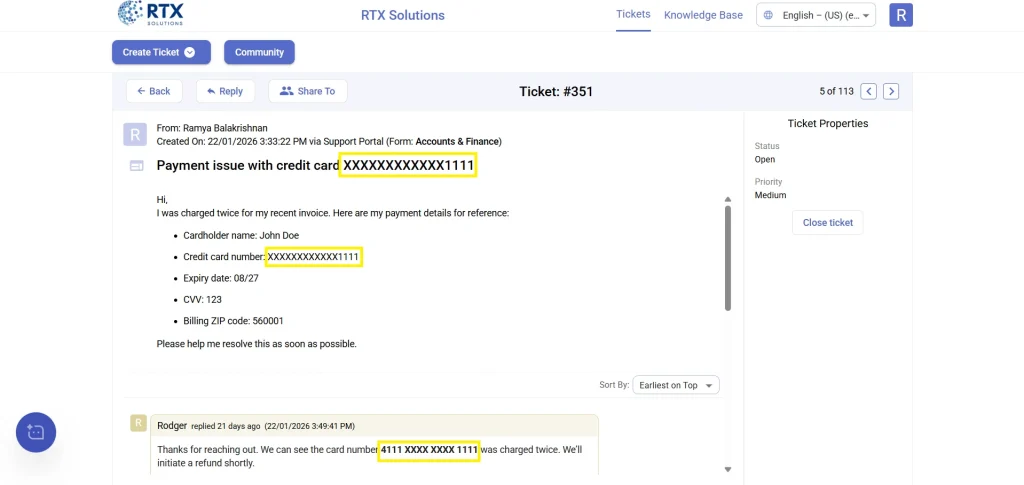
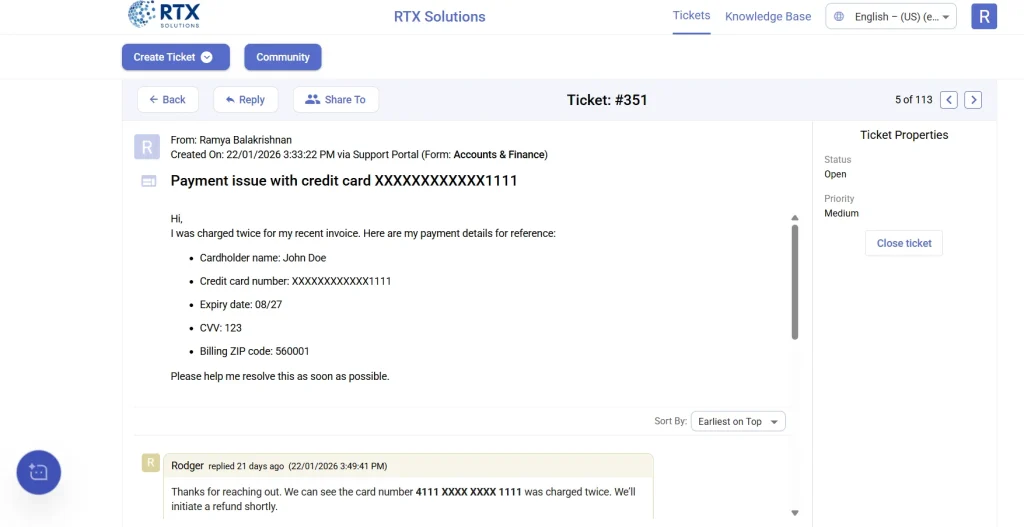
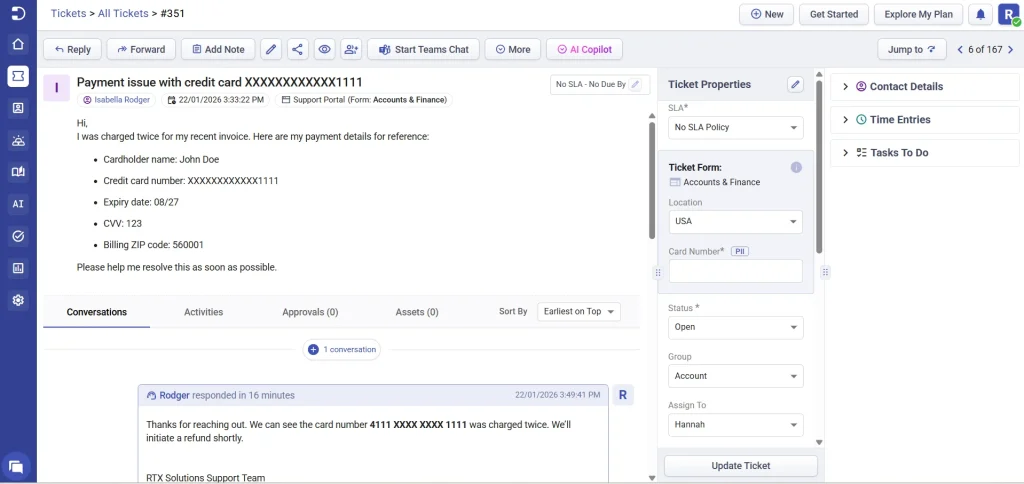
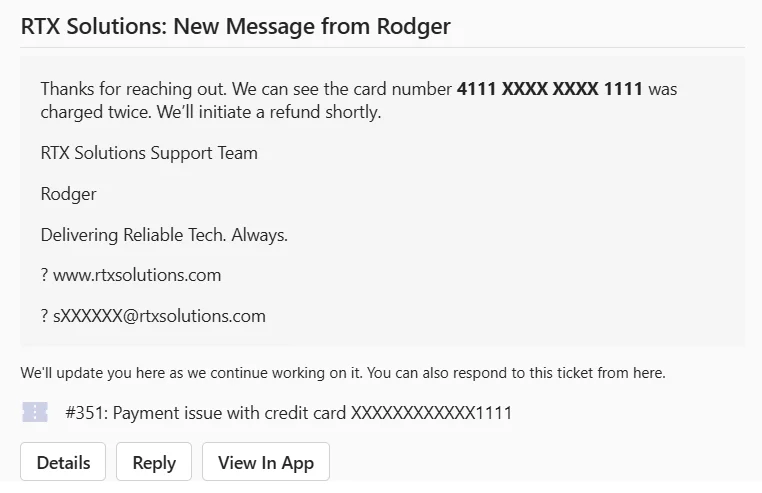
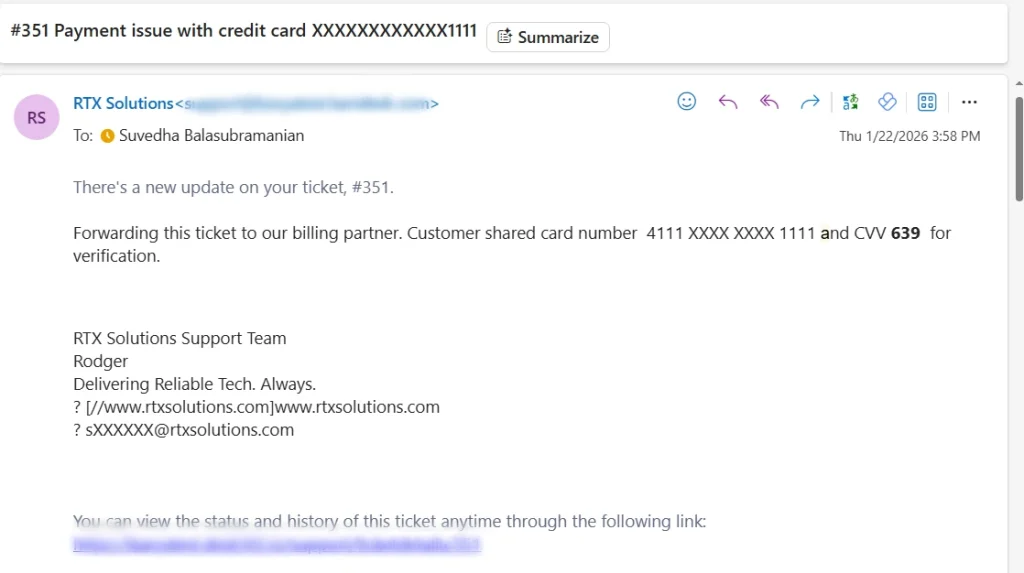
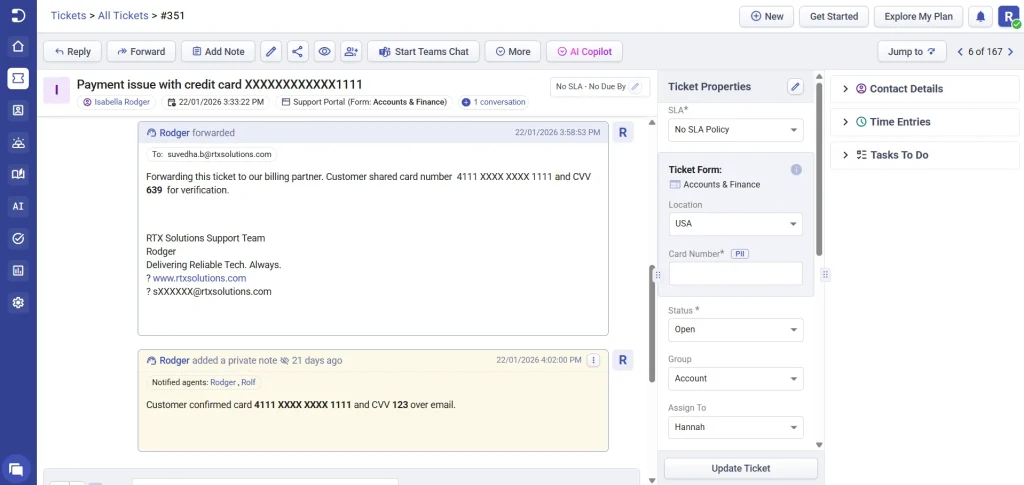
Data redaction is a security feature in Desk365 that automatically detects and masks sensitive information in customer communications. This includes data such as email addresses, SSN, phone, credit cards, and IP addresses that may appear in ticket subjects, descriptions, ticket replies, forwards, or notes.
Once enabled, data redaction ensures that sensitive information is hidden from view while still allowing agents to work on tickets without interruption.
Why is data redaction important?
Customer support teams often handle information that should not be exposed to everyone who views a ticket. Data redaction helps you:
Protect sensitive and confidential customer data
Reduce the risk of accidental data exposure
Support compliance requirements and internal security policies
Maintain trust with customers by safeguarding their information
With data redaction enabled, your helpdesk can continue operating normally while sensitive data is automatically masked in the background.
Where to find data redaction settings
Follow these steps to enable data redaction for your helpdesk:
Log in to the Desk365 agent portal.
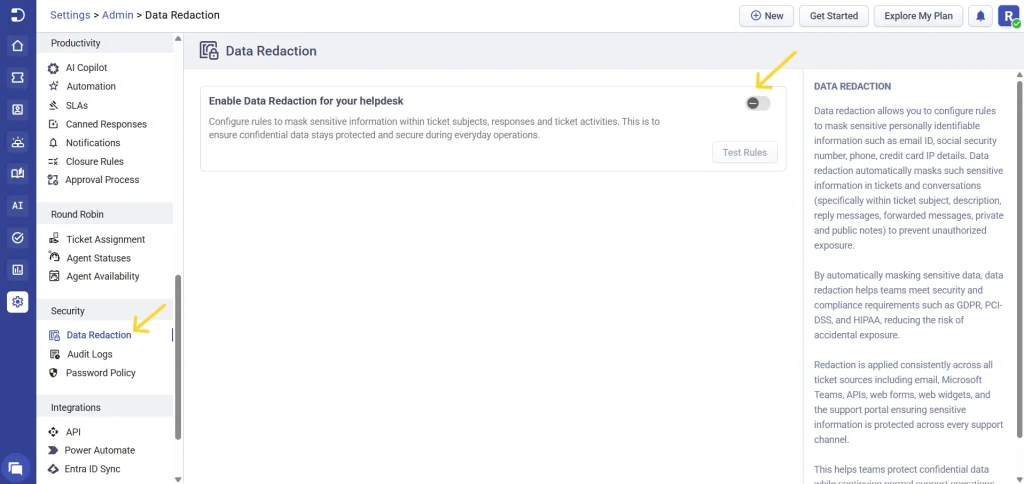
Navigate to Settings > Security > Data Redaction.
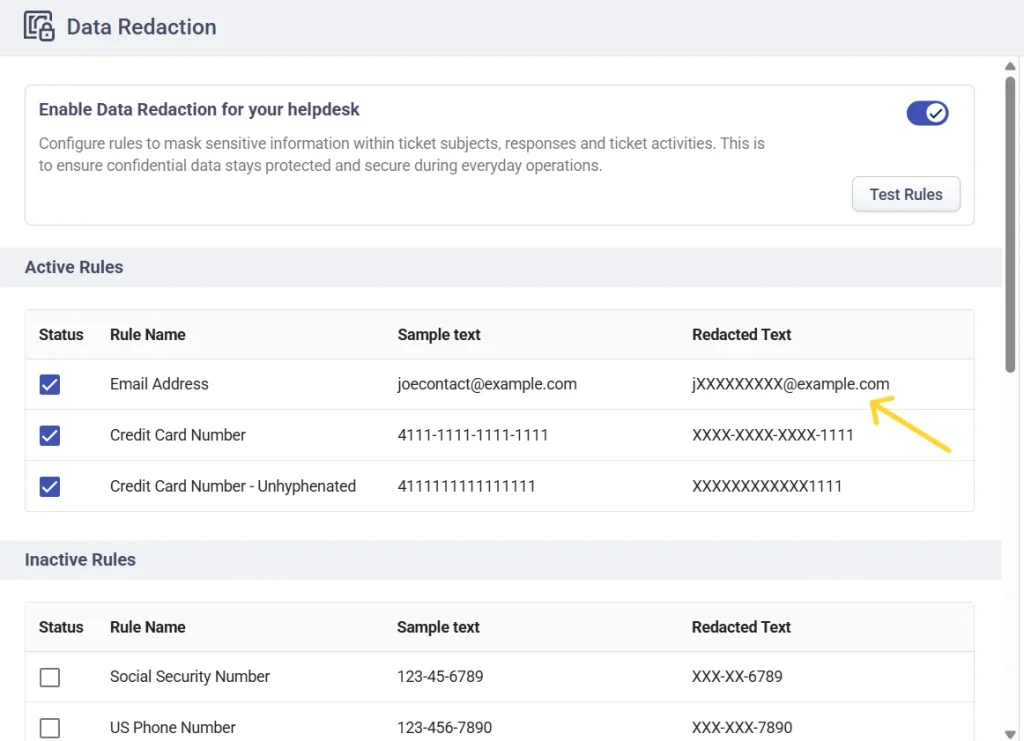
You will see an option to enable data redaction.
Turn on the toggle to activate data redaction for your helpdesk.
Configuring redaction rules
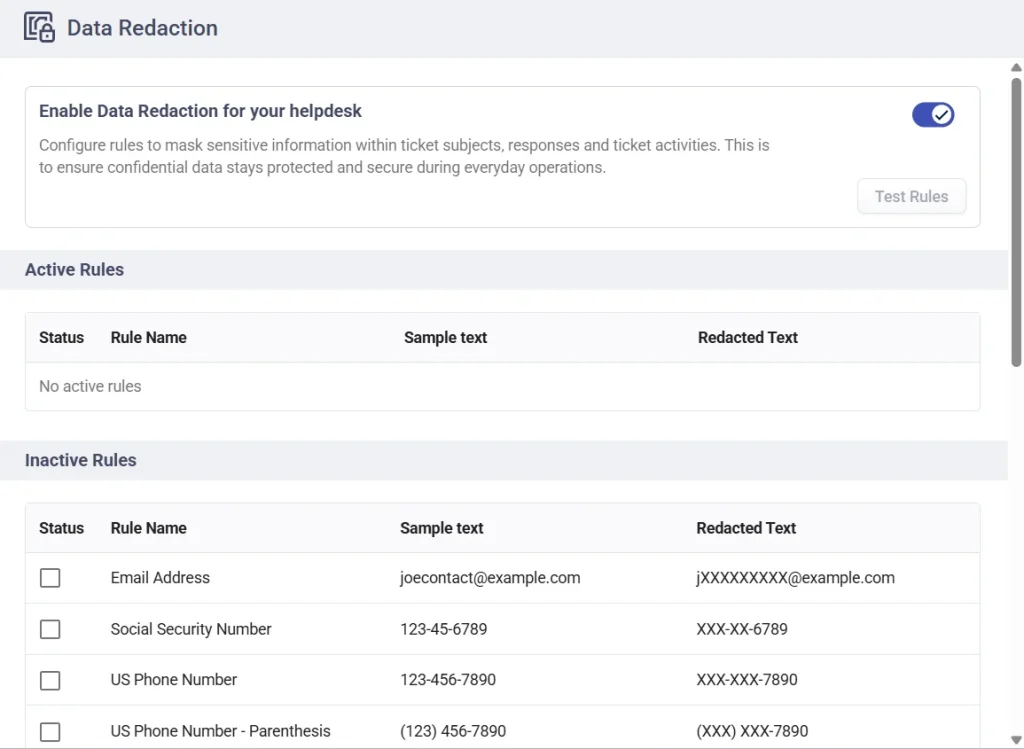
After enabling data redaction, you can configure which types of information should be masked using redaction rules.
You’ll see two sections:
Active rules – Rules that are currently applied to tickets
Inactive rules – Rules that are available but not yet enabled
Under inactive rules, Desk365 provides a default set of redaction rules. Each rule includes:
A rule name
Sample text (original data)
Redacted text (how the data will appear after masking)
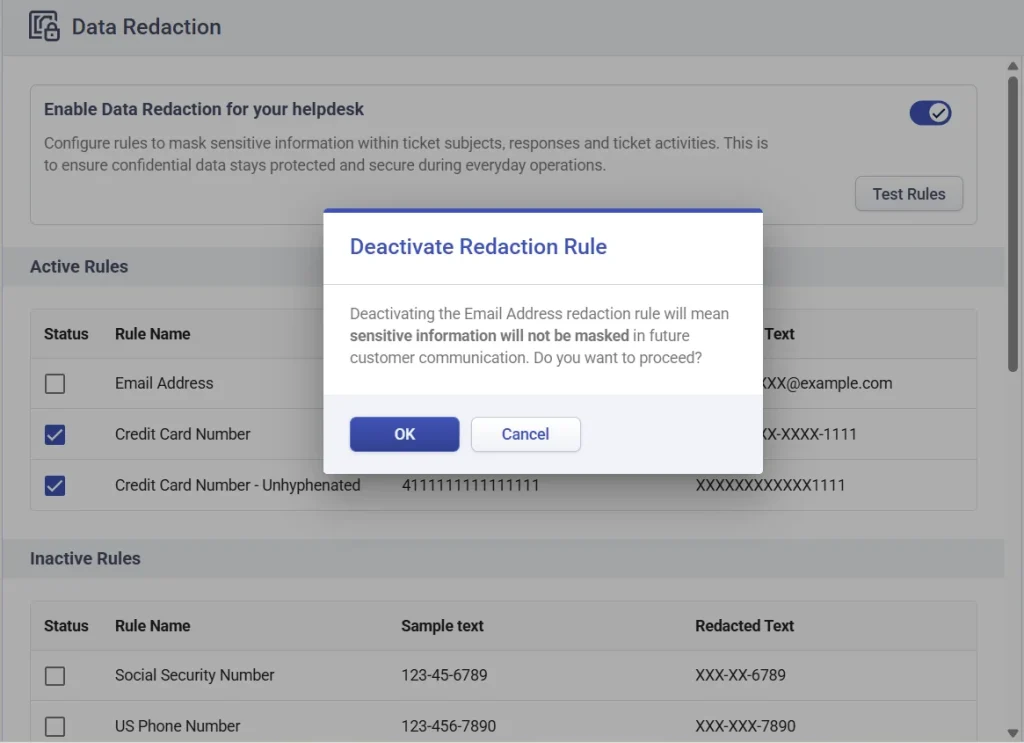
To activate a redaction rule:
Go to the inactive rules section
Find the rule you want to enable.
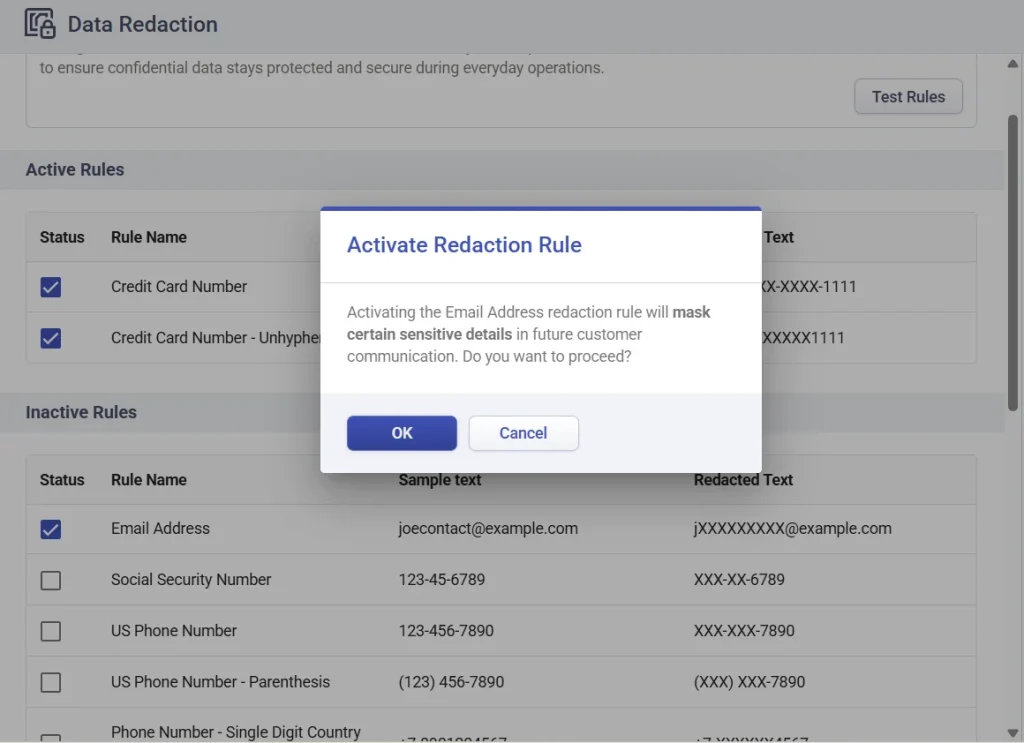
Click the checkbox in the status column next to the rule name.
A confirmation pop-up will appear.
Click ok to confirm activation.
As shown above, activating the Email Address redaction rule will automatically mask email addresses found in ticket subjects, responses, and activities.
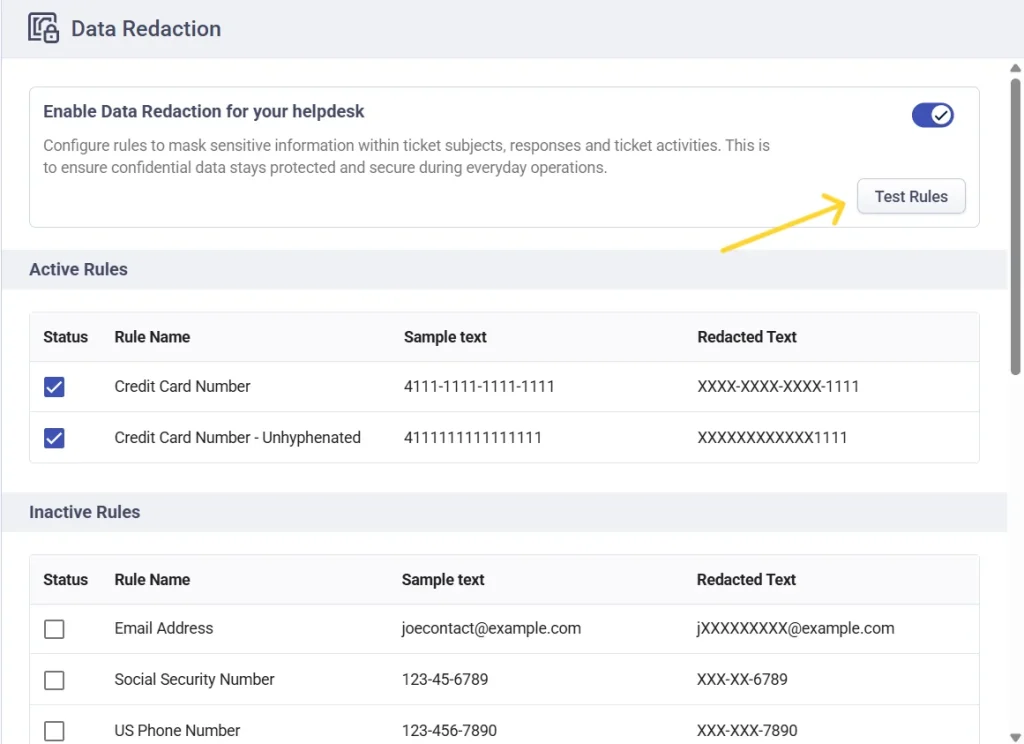
Once confirmed, the rule will move to the Active Rules section.
Deactivating a redaction rule
If you no longer want a rule to apply:
Go to the Active Rules section.
Disable the rule by unchecking it.
The rule will move back to Inactive Rules.
You can enable or disable rules at any time.
Testing redaction rules
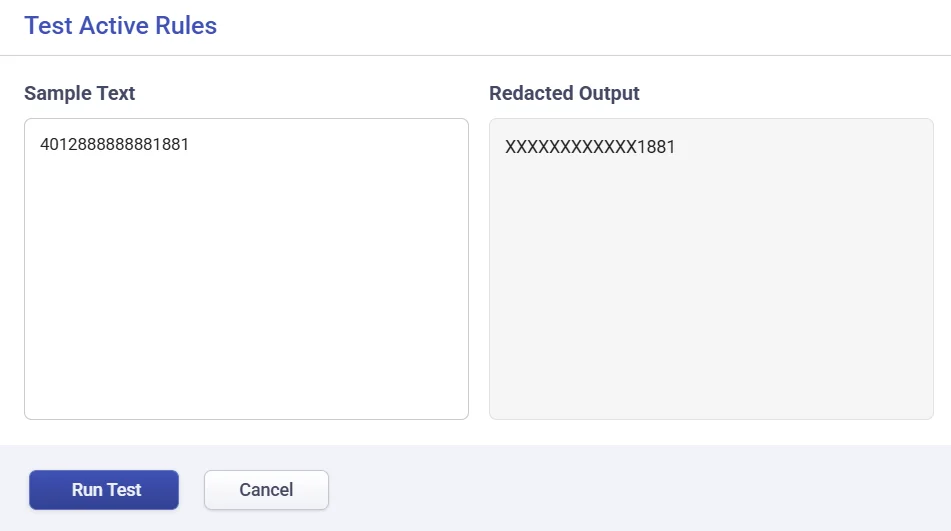
Desk365 allows you to test active redaction rules to ensure they work as expected.
How to test rules
Click the ‘Test Rules’ button at the top of the data redaction page.
2. A dialog box will open.Enter sample text that contains sensitive information. 3. Click Run Test. 4. Review the redacted output displayed beside.
This helps you verify how information will appear once redaction is applied in real tickets.
Where data redaction is applied
Once data redaction is enabled, sensitive information is automatically detected and masked across multiple parts of a ticket ensuring confidential data is protected wherever customer communication appears.Data redaction applies acrossall channels supported by Desk365, and applies to the following areas:
1. Ticket subject
Any sensitive information included in the ticket subject line is automatically masked as soon as the ticket is created or updated.
Sensitive data present in the ticket description is detected and redacted at the time of ticket creation, ensuring the initial request is secure from the start.
Any sensitive data included when a ticket is forwarded is automatically masked, ensuring information remains protected even when shared externally.
data-redacted-in-an-email-forwarded
5. Internal notes
Sensitive information added to internal notes is also redacted, helping teams maintain secure internal communication without risking data exposure.
data-redacted-in-a-private-note
How redaction works across these sources
Redaction occurs automatically once a rule is active
Sensitive data is redacted in real time as content is saved
Redacted data remains hidden even when tickets are viewed later
Normal ticket workflows and automations continue without disruption
Important notes
Data redaction only applies to new and updated content after the feature is enabled
Masked data cannot be viewed or restored from the ticket interface
Redaction rules apply consistently across all supported ticket sources
This ensures that sensitive information stays protected throughout the entire ticket lifecycle from the first customer message to long-term ticket history.
Data redaction in Desk365 gives you a simple yet powerful way to protect sensitive customer information across your helpdesk. By enabling redaction and activating the right rules, you can reduce data exposure risks while continuing to deliver seamless customer support.
We recommend reviewing the available rules, testing them thoroughly, and enabling only those that align with your organization’s security and compliance needs. With data redaction in place, your team can focus on resolving tickets confidently knowing sensitive data stays protected.