Videos

Explore step-by-step video tutorials to learn about Desk365 features, configure your helpdesk, and get the most out of the platform.

Getting Started

5:43

Welcome to Desk365!

A tour of Desk365, the AI-powered ticketing system for teams of all sizes: AI features, omnichannel support, automation, SLAs, knowledge base, reporting and more.
Watch video →
9:00

Getting Started with Desk365: Your AI-Powered Ticketing System

An in-depth introduction to Desk365 and the features that help support agents boost productivity, automate workflows and deliver great experiences.
Watch video →
7:03

Desk365 Helpdesk Setup Tutorial | How to Configure Your Helpdesk in Desk365 Step-by-Step

A complete walkthrough of configuring your Desk365 helpdesk: email and Microsoft Teams setup, support portal, ticket forms, approvals, roles and reports.
Watch video →
3:57

How to Raise & Track Support Tickets in Desk365 — A Quick End-User Guide

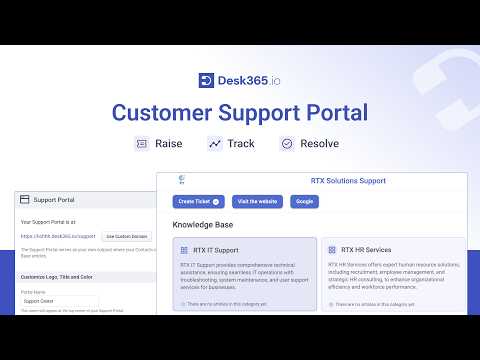
An end-user guide to raising tickets in Desk365 by email, support portal, Teams, web widget or web forms, and tracking them afterwards.
Watch video →
1:51

5 Reasons to Choose Desk365 – A Simple, AI-Powered Helpdesk Your Team Will Love

Five reasons teams choose Desk365, from quick setup and powerful features to AI built in and responsive support.
Watch video →
4:55

Best Helpdesk Software. Why Desk365 Beats the Big Names

Why Desk365 is a simpler, more affordable alternative to bloated big-name helpdesk tools for businesses, IT teams and startups.
Watch video →

Ticket Management

1:48

Helpdesk Time Tracking within Desk365

See how agents log time inside any ticket, use the built-in timer for precise tracking, and report on time spent in Desk365.
Watch video →
2:13

How To: Add Watcher to a Ticket

Learn how to add watchers to a ticket in Desk365 so teammates stay informed and collaborate on resolution.
Watch video →
1:06

How To: Use Desk365 for Multiple Groups

Learn how to support multiple groups or departments in one Desk365 helpdesk by creating groups, mapping agents and setting up custom roles.
Watch video →
0:39

How To: Export Tickets from Desk365

A quick guide to exporting tickets from Desk365 for analysis, reporting and sharing with your team.
Watch video →
1:26

How To: Change due date of tickets in Desk365

Learn how to change the due date of a ticket in Desk365, which is otherwise calculated from the resolution time of its SLA policy.
Watch video →
1:08

How To: Create and Use Canned Responses in Desk365

Learn how to create canned responses with dynamic placeholders and use them to reply to customers faster.
Watch video →
1:27

How to Use Canned Responses in Desk365

Learn how to use canned responses in Desk365 to answer repetitive customer questions quickly.
Watch video →
0:52

How To: Enable RTL Language Support

Learn how to enable right-to-left (RTL) language support in Desk365.
Watch video →
1:37

How to configure Ticket Properties

Learn how to configure the Ticket Properties menu so ticket fields appear in the order you choose in the Agent Portal and Teams Agent Bot.
Watch video →
1:40

How to Create a Custom Ticket View

Learn how to create custom ticket views in Desk365 that group tickets into lists based on the criteria you define.
Watch video →
1:11

How To: Configure Tasks and Reminders in your helpdesk

Learn how to configure tasks and reminders in your Desk365 helpdesk.
Watch video →

Ticket Forms & Custom Fields

1:55

How To: Add Custom Ticket Types in Desk365

Learn how to create custom ticket types in Desk365 to capture the right data and build unique workflows.
Watch video →
2:01

How To: Use Dropdown with Sections Field

Learn how to configure a Dropdown with Sections field that reveals additional fields based on the option a user selects.
Watch video →
1:28

How to Customize the Create Ticket Form in Desk365

Learn how to configure the Create Ticket form in Desk365 with fields that make it easy for users to raise a ticket.
Watch video →
1:25

How to Create Custom Ticket Forms

Learn how to create multiple custom ticket forms in Desk365, each with the fields needed for a specific service request.
Watch video →
1:37

How to add Custom Fields to the Create Ticket form

Learn how to add custom ticket fields to the Create Ticket form from the Ticket Fields tab in Desk365.
Watch video →
1:10

How to Add a Custom Ticket Status in Desk365

Learn how to add custom ticket statuses in Desk365 that reflect each stage of your ticket lifecycle.
Watch video →
2:10

How To: Add custom fields to the Ticket Form

Walk through an example of adding custom fields to the ticket form in Desk365.
Watch video →
1:15

How To: Customize the Create Ticket form

See how to configure a Create Ticket form in Desk365 with fields that make sense for your users.
Watch video →
1:21

How To: Customize the Create Ticket form with Nested Dropdowns

Learn how to add nested dropdown fields to your Desk365 ticket forms for workflows that need several levels of choices.
Watch video →

Automation & Workflows

1:54

How to get notified when a new ticket is created | Desk365 automation tutorial

Set up a Desk365 automation that notifies you instantly whenever a new ticket is created, whichever channel it comes from.
Watch video →
3:35

Automation in Ticketing System | Desk365

See how Desk365 automation streamlines ticket management with automated workflows, ticket routing and real-time updates.
Watch video →
4:08

Mastering Change/Approval Management with Desk365

Learn how Desk365 change and approval management automates approval workflows, tracks requests and improves transparency.
Watch video →
2:37

Ticket Assignment with the Round-Robin System

Set up round-robin ticket assignment in Desk365 to distribute tickets automatically and keep workloads balanced across agents.
Watch video →
3:50

Mastering #Desk365’s Share To Feature and Share To Automation

Use the Share To feature and Share To automation rule to share specific tickets with selected contacts and streamline collaboration.
Watch video →
2:28

How To: Setup the Tasks to Do Automation

Automate the creation and assignment of tasks on tickets with the Desk365 Tasks to Do automation.
Watch video →
2:58

How To: Add Time Entries to Tickets using Automation

Use the Desk365 Time Entries automation to add time entries to tickets automatically and keep time tracking accurate.
Watch video →
1:08

How To: Configure Automation Rules that run on Ticket Creation

Learn how to configure Desk365 automation rules that run when a ticket is created, based on ticket or account properties.
Watch video →
1:28

How To: Configure Automation Rules that run on Ticket Updates

Learn how to configure Desk365 automation rules that run when tickets are updated, including updates by specific agents or groups.
Watch video →
0:45

How To: Configure Automation Rules that run on Time Based Triggers

Learn how to configure Desk365 automation rules that run on time-based triggers.
Watch video →