

Agent authentication settings allow you to control how agents access your helpdesk and define the security measures required during sign-in. This includes configuring login methods, enabling multi-factor authentication (MFA), setting password rules, and managing session behavior.
These settings help ensure secure access to your helpdesk while giving you flexibility to manage authentication based on your organization’s needs.
However, it is important to note that only admins or agents with permission to access Settings can view and configure agent authentication.
To access these settings:
Go to Settings > Security and Compliance > Agent Authentication
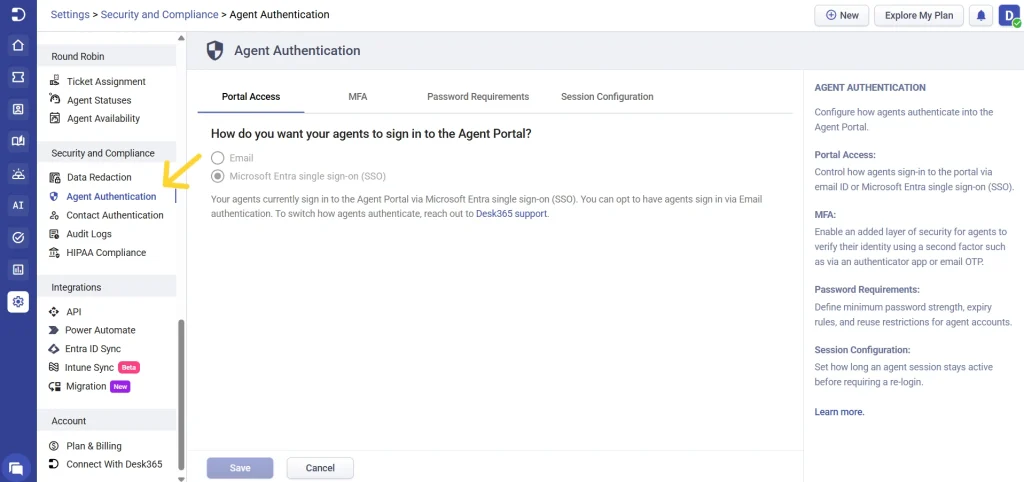
Available settings in agent authentication
Agent authentication includes the following sections:
- Portal Access
- Multi-Factor Authentication (MFA)
- Password Requirements
- Session Configuration
1. Portal access
Portal access controls how agents sign in to your helpdesk.
You can define whether agents log in using:
- Email and password
- Microsoft Entra Single Sign-On (SSO)
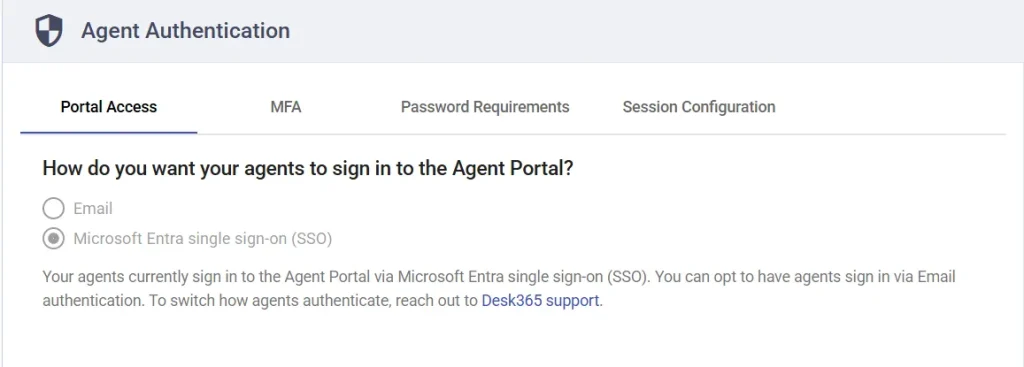
To make changes to the sign-in method, please contact Desk365 Support.
This ensures that authentication methods are configured securely and aligned with your organization’s access policies.
2. Multi-Factor Authentication (MFA)
Multi-Factor Authentication adds an extra layer of security by requiring agents to verify their identity using an additional method during login.
When MFA is enabled, agents must complete a second verification step along with their password.
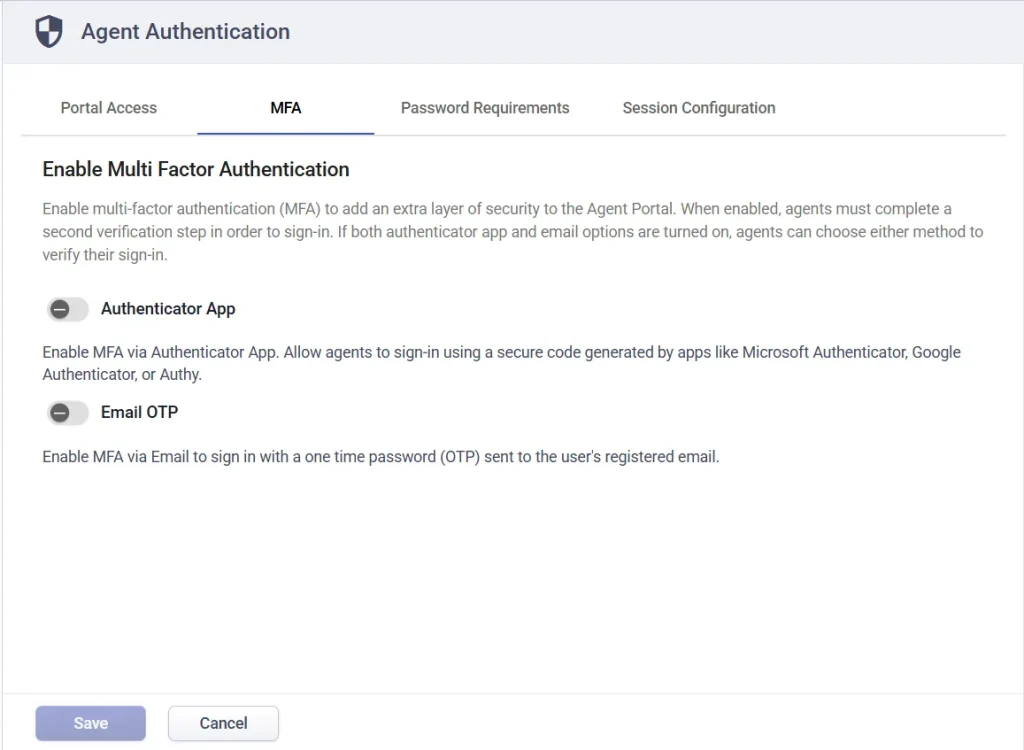
- Authenticator App: Enable this option to allow agents to use an authenticator app such as:
- Microsoft Authenticator
- Google Authenticator
- Authy, etc.
Agents will enter a time-based authentication code generated by the app during login.
2. Email OTP: Enable this option to allow agents to receive a one-time password (OTP) via email during sign-in.
3. Using multiple methods: If both Authenticator App and Email OTP are enabled, agents can choose either method when signing in.
This provides flexibility while maintaining strong security. For step-by-step setup and behavior, refer to the detailed MFA article.
3. Password requirements
Password requirements allow you to define password rules for agent accounts to ensure strong and secure credentials.
You can configure:
- Minimum password length
- Password complexity (uppercase, lowercase, numbers, special characters)
- Password expiration duration
- Password reuse restrictions
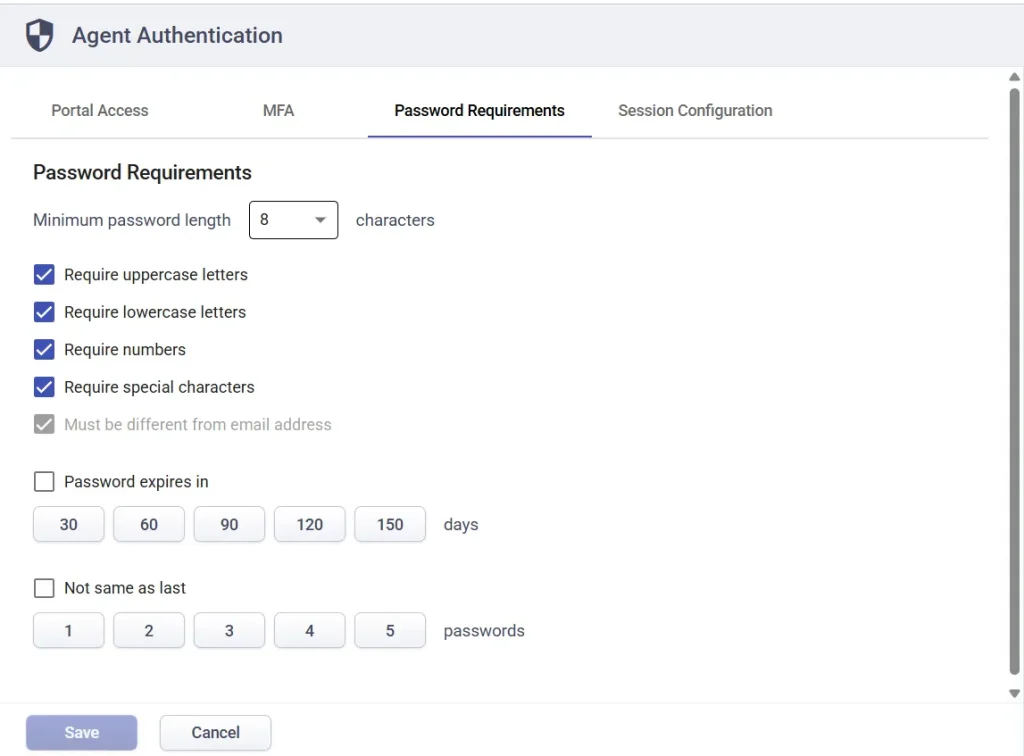
These rules help enforce consistent password standards across all agent accounts.
For detailed configuration steps, refer to the Password Policy article.
4. Session configuration
Session configuration controls how long agents remain logged in before being automatically signed out.
You can define session timeout to:
- Reduce risks from unattended systems
- Ensure agents re-authenticate after a period of inactivity
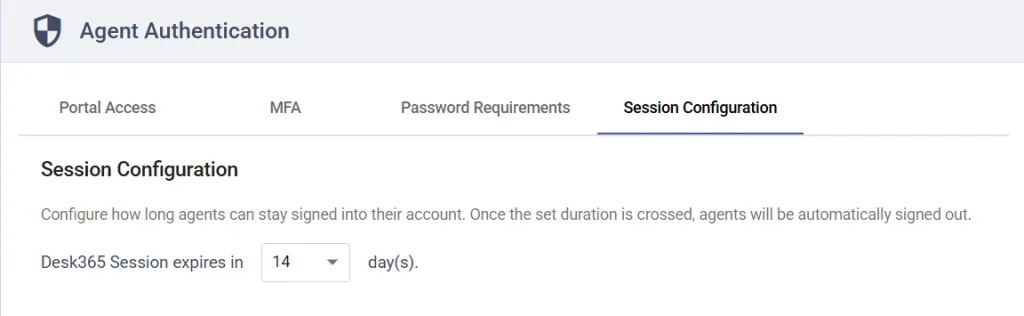
This is especially useful for maintaining security in shared or high-risk environments.
Best practices
- Enable MFA for all agents to strengthen account security
- Use strong password requirements with a minimum of 8–12 characters
- Set session timeouts to prevent long inactive sessions
- Use Microsoft Entra SSO for centralized authentication where possible
Agent authentication in Desk365 gives you complete control over how agents access your helpdesk, helping you balance security, usability, and compliance across your organization.