


Looking for a way to be notified every time a ticket is created in your helpdesk, even if you are not assigned to it?
This is a common use case, where you may want to be aware of all tickets that are coming into your helpdesk. You can do this easily in Desk365 by creating an Automation Rule. Let’s look at how to create a rule for this use case.
STEP 1:
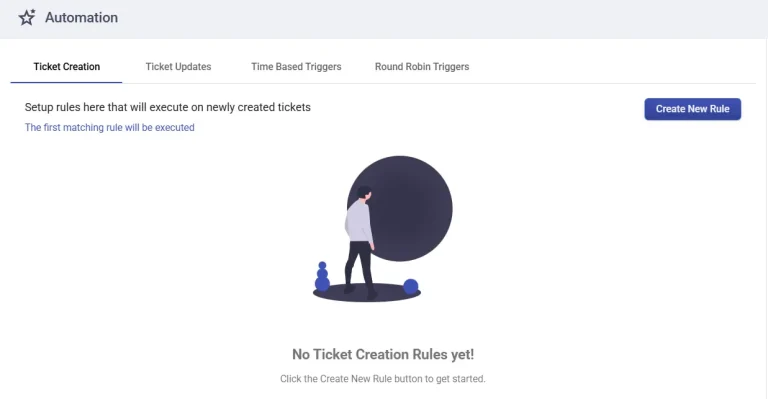
Under the Settings > Productivity > Automation tab, you have to create a new rule which will be triggered on newly created tickets.
STEP 2:
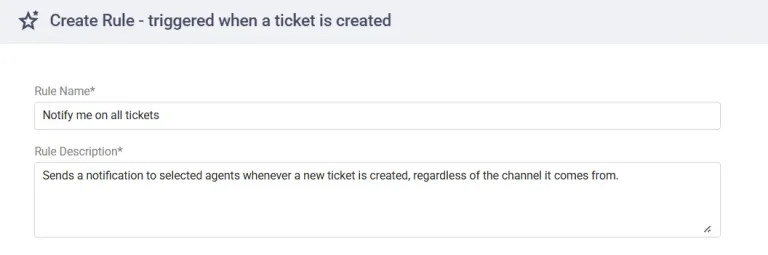
Give a name to the rule you are creating and enter an appropriate description for it.
STEP 3:
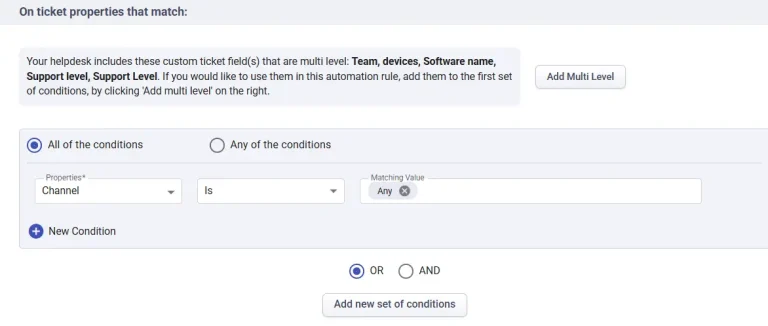
Here, you have 2 options – “All of the conditions” and “Any of the conditions”. Choose “All of the conditions” and choose Channel as your property. Please select the channels through which you would like to receive tickets.
You may select the “Any” option under “Channel” for the rule to trigger whenever a ticket is created through any channel.
STEP 4:
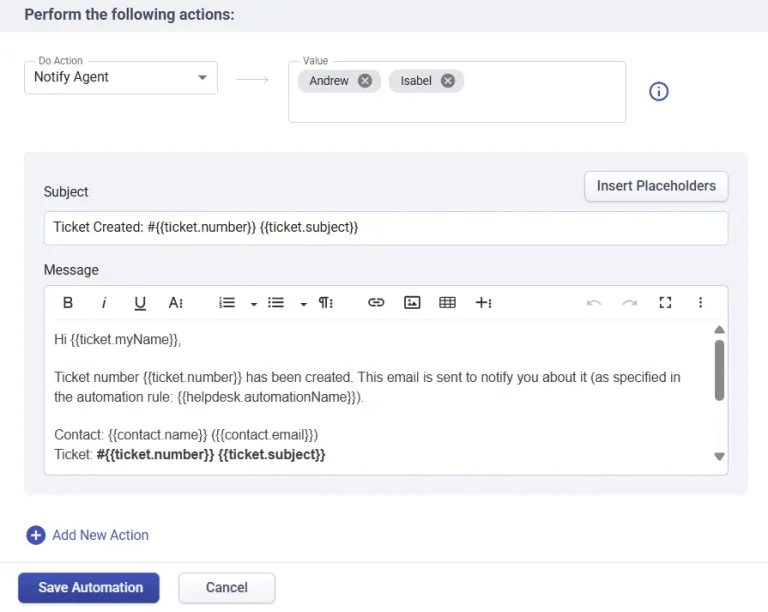
Once you have added the conditions, choose “Notify Agent” and choose the agents that you wish to notify.
Once you select the agents, you’ll see a message configuration box . This is where you can customize the email notification that the agents will receive whenever a ticket is created. Use the Insert Placeholders option to quickly add dynamic fields without typing them manually.
You can also format the message using the rich text editor to make it more readable.
Once you are done click on Save Automation.
That’s it. Now, each time a ticket is created through any of the channels, the rule gets triggered and the agents will be notified. This is an example of an Automation Rule that gets triggered when a ticket is created. We also have another option- “Ticket Updates” that gets triggered during the ticket update process.